
Everything you can build with Delta Widgets
Three ways to create widgets, real-time data, reusable templates, and an optional AI assistant — all in a fast, native desktop app.
Three ways to create a widget
Pick the approach that fits you — from zero-code drag-and-drop to full custom HTML.
Visual Editor
Build widgets visually with drag-and-drop — no code required.
- Containers, grids, text, images, and progress sliders
- Media controls and audio visualizers
- Dynamic variables and one-click built-in templates
Custom HTML
Full control with your own HTML, CSS, and JavaScript.
- Runs in a WebView with complete layout control
- Call native Tauri commands like get_media and get_system_info
- Mark a drag handle with -webkit-app-region: drag
URL Widget
Turn any webpage into a desktop widget.
- Embed dashboards, web apps, or online tools
- Draggable titlebar, or pin it to remove the bar
- Sandboxed to display external content only
Everything you need to create amazing widgets
Powerful features designed to make desktop widget creation accessible to everyone, from beginners to power users.
Drag & Drop Builder
Create widgets visually with an intuitive drag-and-drop interface. No coding skills required.
Multiple Sources
Build with the visual editor, display custom HTML pages, or embed content from any URL.
Dynamic Data
Show real-time info like clock, system stats, media info, or apply custom CSS tweaks.
Custom Templates
Start with pre-made designs or create your own templates from scratch for quick setup.
Expressions & Variables
Format text, insert variables, and create interactive widgets with powerful expression system.
Built with Tauri
Fast, secure, and lightweight with native desktop feel. Minimal resource usage.
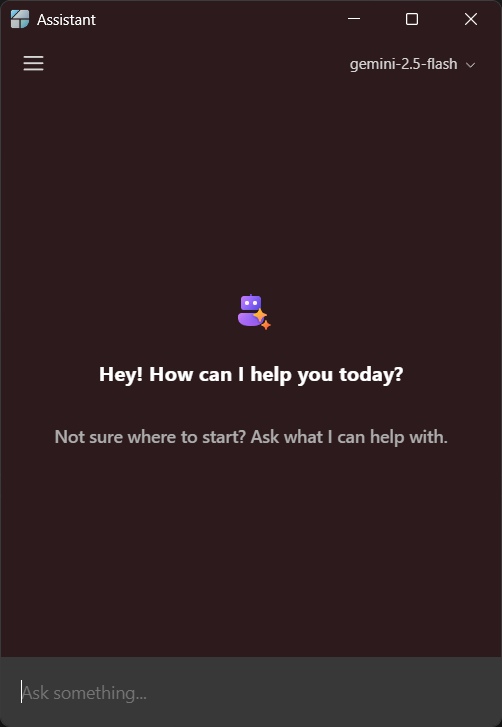
AI Assistant (BYOK)
Optional bring-your-own-key assistant. Generate widgets from a prompt with OpenAI, Anthropic, Google, Ollama, or OpenRouter — keys stored encrypted on your device.
Dynamic variables
Drop handlebar-style variables into text and images. They update in real time — and you control the formatting.
{{time:HH:mm}}Live clock, your format{{system:cpu_usage}}Real-time system stats{{media:title}}Now-playing track info{{weather:city}}Local weather dataBuilt-in templates
Start from a ready-made widget and make it yours. Clone, tweak, and publish in minutes.
- Clock and date/time
- CPU, RAM, and disk usage
- Media player and audio visualizer
- Battery and weather
AI Assistant — bring your own key
An optional assistant that can generate widgets from a prompt and help you explore your data. Connect your own provider key — it runs on your device with keys stored encrypted, and the rest of Delta Widgets works fully without it.
OpenAIAnthropicGoogleOllamaOpenRouter